Make a music video
Choose a local track once, review your composition or acts, render, then inspect and save the film.
Open this workflow ↗File-render workflow →Making a music video, playing a live set or mapping a projector?
Start with what your setup needs.
By the maker of PHASE//VOID · Reviewed · How we compare
 ACTUAL PHASE//VOID OUTPUT
A CLEAR NEXT STEP
Choose your output and must-have features. Get a workflow, its limits and a useful next step.
108 procedural worlds. Free browser tools, no account. Specialist desktop options when your setup needs them.
These links also work without the chooser.
Choose a local track once, review your composition or acts, render, then inspect and save the film.
Open this workflow ↗File-render workflow →Connect permitted audio, prepare A/B looks and open the final output. Use real-time capture for live input and performed MIDI.
Open this workflow ↗Live setup guide →Give up to eight surfaces their own world, then adjust corners and masks.
Open this workflow ↗Mapping instructions →Five tools, grouped by the job they do. No scores, invented rankings or price race.
On small screens, scroll the table sideways. “Not established” means this review did not verify a feature.
| Tool | Useful for | Audio / output workflow | Limits to check |
|---|---|---|---|
| PHASE//VOID ↗Browser instrumentFree, no account | Local music-video files, live visuals and one projector. | File render of a local MP3/WAV segment/current composition or reviewed acts; two muted video layers, FX and mapping. Explicit complete-example loading and in-tab soundtrack handoff; separate real-time live/MIDI capture. | Browser/device rendering, not server rendering or offline installation. One raster with up to eight surfaces. No mesh/3D calibration, edge blending, native protocols, OSC or timed lyric editor. Codec/GPU/memory limits apply; no universal sync or speed guarantee.Source & details ↗ |
| Resolume Avenue ↗Desktop VJ softwareCommercial software; limited demo | Live audiovisual performance with clips, cameras, sources and effects. | Native application; MIDI/OSC and NDI, Spout or Syphon video exchange. | Arena adds advanced output and show capabilities. Demo watermarks and a voice reminder apply; this project has not benchmarked Resolume.Source & details ↗ |
| Resolume Arena ↗Desktop performance / outputCommercial software; limited demo | Live performance with projection mapping, edge blending, mesh warping and show integration. | Native AV application; video exchange, OSC, SMPTE and DMX. | Hardware, routing and the actual venue need testing. Demo restrictions apply. Mesh warping does not imply 3D camera calibration; that capability is not established here.Source & details ↗ |
| Synesthesia ↗Desktop procedural instrumentCommercial editions; watermarked trial | Audio-reactive scenes, shader import and live shader authoring. | Native graphics; documented NDI, Spout and Syphon exchange. | OSC requires Pro. Trial output is watermarked. Check imported shader compatibility and rights. Multi-projector mapping is not established here.Source & details ↗ |
| MadMapper ↗Specialist mapping softwareCommercial software | Projection and light installations with several outputs and complex surfaces. | Mesh/Bezier surfaces, 3D calibration, soft-edge blending, native video exchange and OSC/Art-Net. | Projector capacity depends on your computer/GPU. ISF file import is documented; this does not establish Shadertoy import or live coding. Vendor claims do not certify your venue.Source & details ↗ |
Watch the actual four-act WAV/WebM film: two clips, two mapped surfaces and Program/surface effects. Its 12-second timeline produced 360 distinct decoded pictures while deliberate 6× CPU throttling made processing take about 26 seconds. This bounded renderer test does not certify every device or physical synchronization.
Open the complete example setup, then explicitly press Load four-act example. Session, loops and WAV validate/decode before settings change; output frame/size/motion stay. Undo example setup restores prior settings and loaded clips paused. The link does not load, play or render. Choosing your own track keeps the composition. For live input/MIDI gestures, open real-time capture.
Watch the film and follow the full workflow ↗Compare the moving examples →Prepare a live clip show →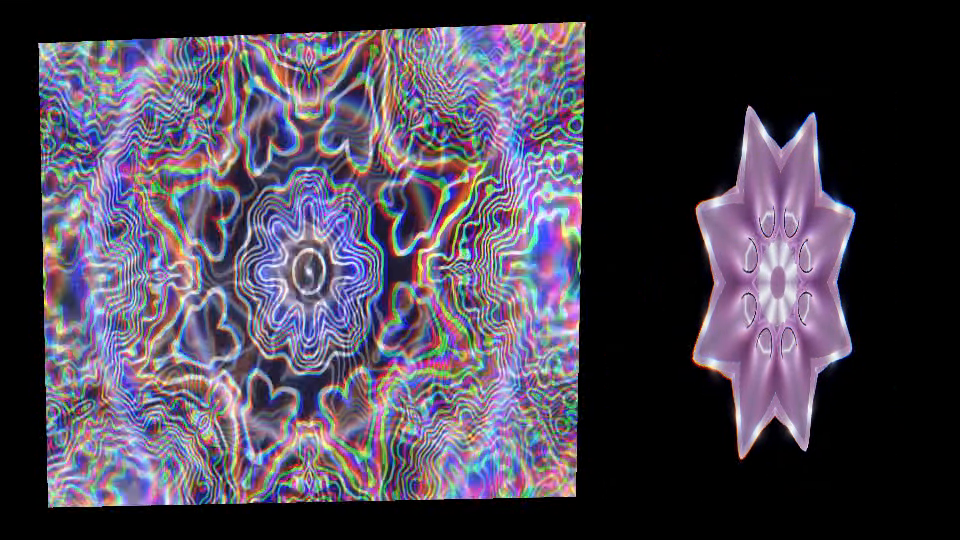 ▶ Watch with sound
PHASE//VOID capabilities are checked against our source and first-party playback/recording evidence. Other tools are described from their official documentation, not hands-on benchmarks. We publish this comparison as the maker of PHASE//VOID; no affiliate links or review ratings are used.
The chooser matches all selected specialist features to the documented sets below. A partial match is labelled. It does not score tools, prove device performance or verify a purchase edition. Timed lyric editing and server rendering have no confirmed match in this reviewed selection.
Several projector outputs, mesh/3D calibration and native protocols are distinct from our single-raster surface controls. Test your real inputs, output routes and a saved recording before a show.
Reviewed . Features and editions can change. Read the linked documentation for your exact requirement.
Read the Markdown version →Tell us about your artist release, club night or installation. Custom work is separate from the free studio.